

Count and reconcile inventory
A stock count takes the goods physically on the shelves and compares them with what the system has on record, then deals with the differences in a controlled way. Stores typically count at month or quarter end, and immediately whenever the numbers smell wrong. On the menu the job lives under Inventory & Audit → Stock Audit; on the screen the buttons call it "Reconciliation": two words, one job.
The most pleasant part of how Easy Inventory counts: the store does not close. When a session starts, the system freezes the stock figure as of that moment, and you count against that frozen figure. Selling and receiving carry on as normal while you count.
The life of a session
The note on the right is the thing to remember: pressing finalize does not necessarily change stock. Stock changes only when you finalize with the adjustment option, detailed in the last section. Slip at any stage and the Revert button steps the session back one stage; the permission to revert is granted separately per role.
Before you start
Do these three things before creating a session; skip them and you count phantom differences, meaning gaps caused by unfinished documents rather than lost goods:
- Receive every pending transfer. Goods in transit belong to no warehouse and will show up as missing, see Issue, transfer, and adjust.
- Approve and complete stock-in and stock-out documents still in Submitted. Until they complete, the system's number has not caught up.
- Agree on a start time with everyone counting, so everyone compares against the same frozen moment.
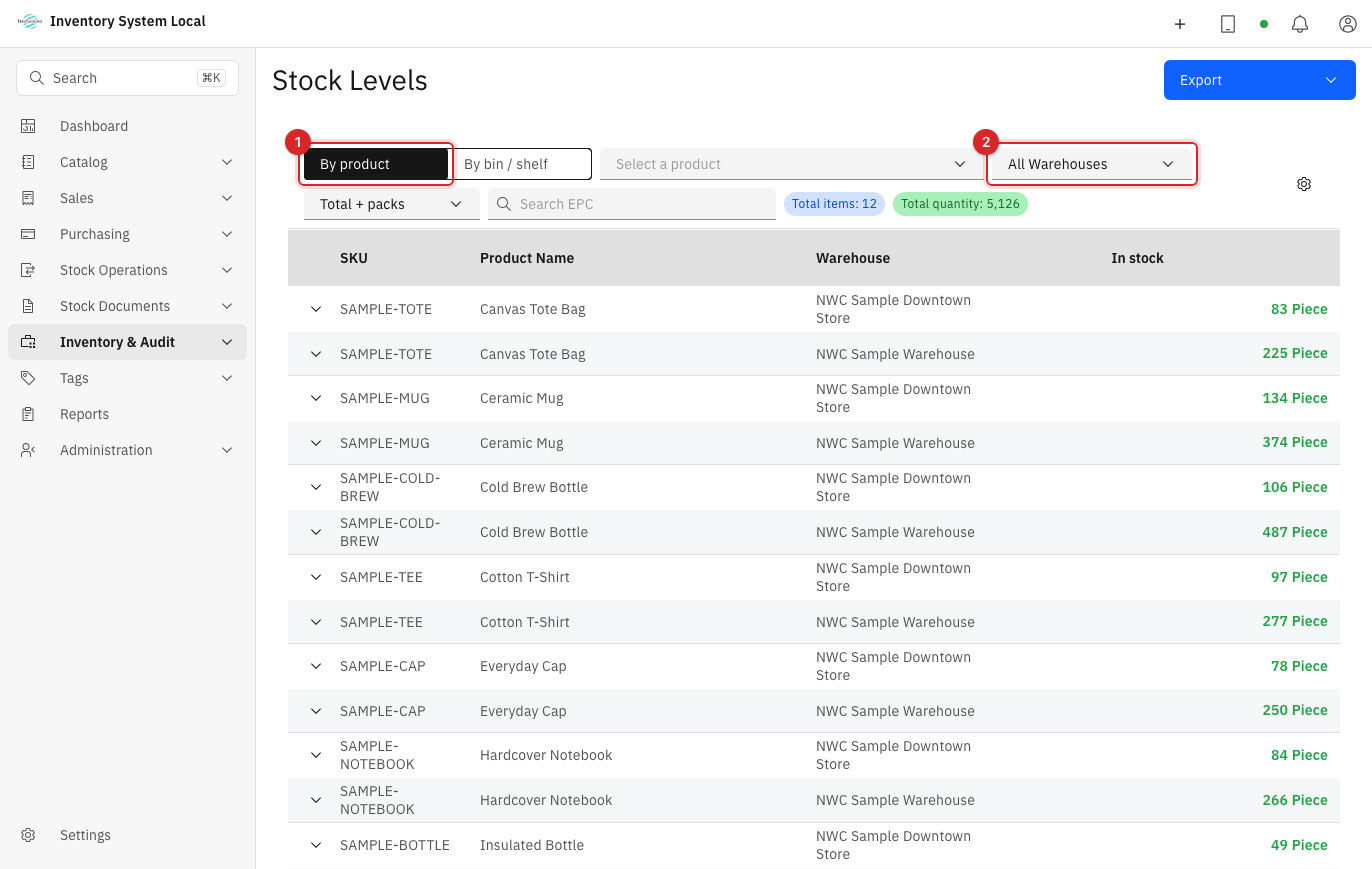
Skim the current numbers under Inventory & Audit → Stock Levels, filtered to the warehouse being counted, to get a feel for the scope:
Create a session and start
Go to Inventory & Audit → Stock Audit and press New Reconciliation.
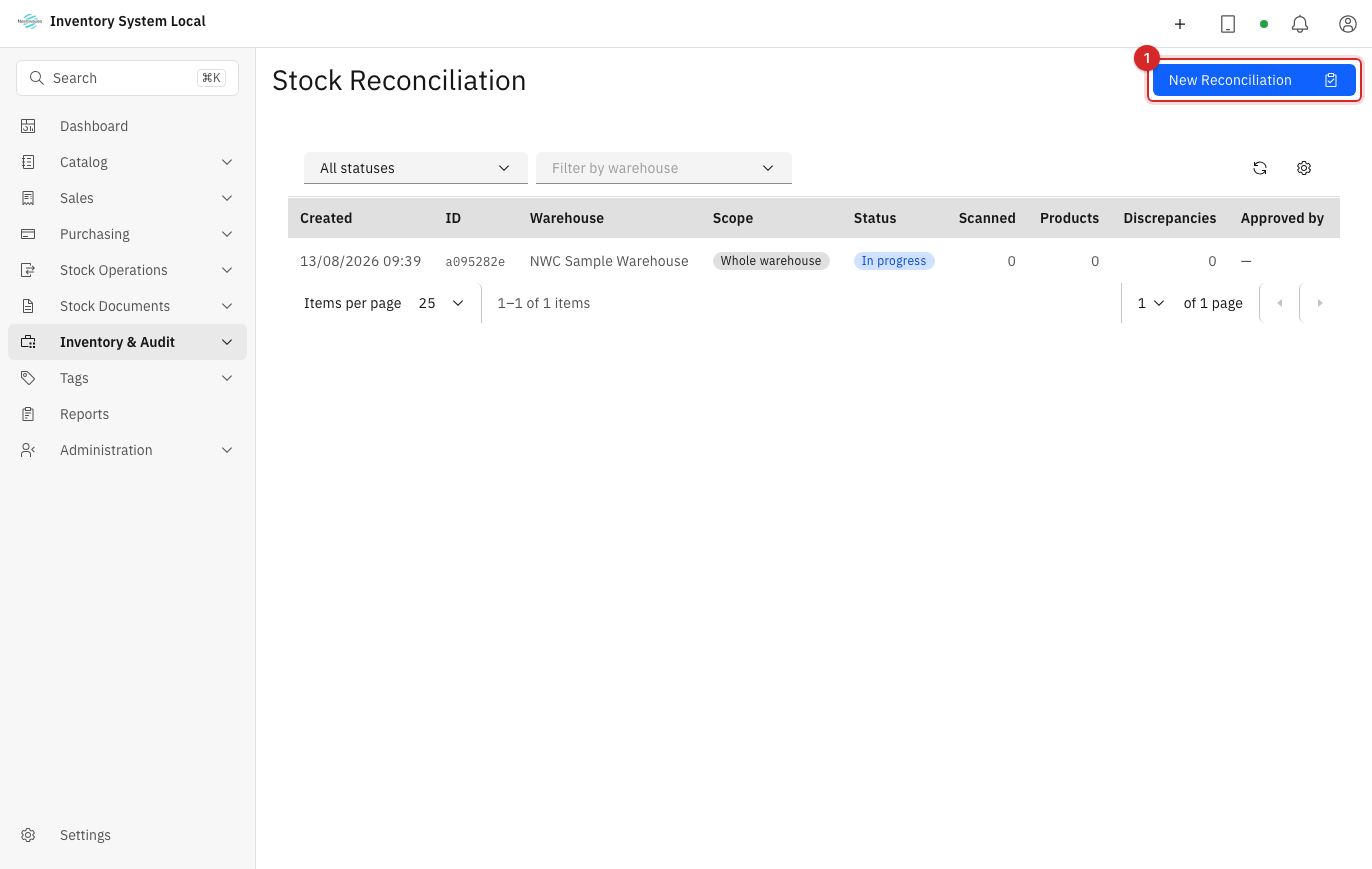
Pick the scope: the whole warehouse or one area. The scope column on the session list records it for later; a session that only covered one shelf only speaks for that shelf, so do not read it as the whole warehouse.
Press Start Reconciliation. From this second, the session's System Stock column is frozen; every comparison in the session is against it.
Scan and read the differences
Scan along a fixed route, say left to right, top to bottom, so nothing is skipped and no area is scanned twice.
Watch the unique EPC count, not total reads: one tag read three hundred times is still one item.
Save the session and read the results by group:
Group Meaning First reflex Matched Scanned exactly what the system records Nothing to do Missing On record, not found by scanning Check pending transfers and nearby shelves before declaring a loss Extra Scanned here, not on record here Goods on the wrong shelf, or received without a document Duplicate The same code counted more than once Recheck the scanning route and stacked tags Rescan any suspicious area from a different angle before concluding. Tags missed because they are blocked is everyday physics, see Manage RFID.
On the session list, the scanned, product, and difference columns are enough to track several sessions without opening each one.
Finalize the session and adjust stock
- Verify every difference against the Stock Ledger and the EPC history before touching numbers, see how to read the ledger.
- Press Finalize Reconciliation. The dialog offers three choices, and this is where stock does or does not change:
- Continue scanning: not done yet, go back to counting.
- Just complete: lock the session to preserve the result, stock untouched. Use it when a manager should review first.
- Finalize & Adjust stock: lock the session and write the adjustment lines into the ledger; stock changes here.
- Someone with the permission presses Approve Reconciliation. If finalize did not adjust, the approver can choose to adjust at this point.
- Open the Stock Ledger, filter by the Reconciliation action type, and review the lines just written.
Finalized too early? Press Revert to step the session back one stage; whatever entries were written stay in the ledger, nothing disappears quietly.
When something goes wrong
| Symptom | Likely cause | What to do |
|---|---|---|
| Many products missing at once | Transfers still pending | Receive them and count again, see Issue, transfer, and adjust |
| One product missing by exactly one batch | That batch's stock-in never completed | Complete the document and compare again |
| Products showing as extra | Goods on the wrong shelf, or received without a document | Search nearby shelves; create the missing stock-in if that is the cause |
| A scan shows an unidentified tag | EPC unregistered or never attached | Note the code and handle it after the session per the tag lifecycle |
| The session will not finalize | Nothing scanned yet | Scan at least part of the scope first |
| Numbers still off after adjusting | Compared against live stock instead of the session's frozen figure | Reopen the session and read System Stock; sales during the count are already handled by the freeze |
| A device dropped mid-count | Network or MQTT loss | Stop at a clean boundary, confirm what saved, rescan the affected part |
Read next
- Issue, transfer, and adjust stock: clear pending documents before, read the ledger after.
- Manage RFID: the scanning hardware and stray tags.
- Review reports: the Stock In-Out-Balance report to prove the ledger after adjustments.